Setup PeachVPN on Windows
Step 1: Download PeachVPN
o download the PeachVPN app (Windows version), please click on the icon below.
Step 2: Install PeachVPN
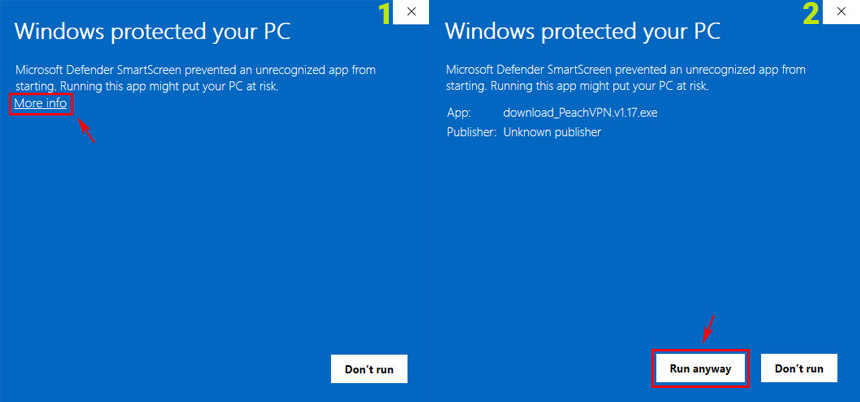
After downloading Holo, when you run the installation file, a blue window similar to the one below will appear. This is because the application is being installed from outside the Microsoft Store.
Step 3: Connect
After installing the app, launch it and enter your account information. Then, select your preferred server and proceed to connect.
